Advanced digital business card generator
Create a custom virtual business card with a vCard QR code generator. Select your business card template, enter your full details, and generate your custom digital business card QR code.
What is a vCard QR code?
A vCard, or virtual contact card, is a digital solution that stores all your contact details in one secure page. It is a smart networking tool that lets you share your name, contact information, company details, website, social media links, and more with a scan or tap.

Why switch to a digital business card?
Compared to traditional calling cards, vCards are eco-friendly and cost-effective. Since the data is stored online, you can update your personal information and profile links anytime. Best of all, you can track the engagement on your contact page.

vCard + QR codes
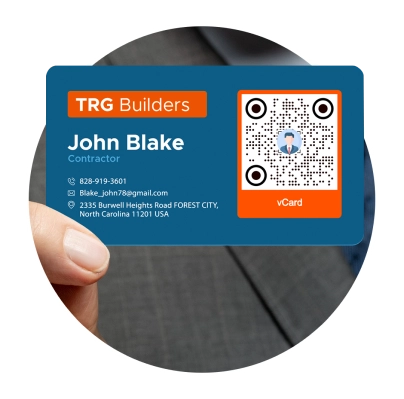
A digital business card with a QR code is the new way to connect with high-value contacts in a snap. You can stick the QR at the back of your phone, set it as a wallpaper, or store the vCard in your Apple or Google Wallet for easier sharing whenever and wherever you go.
Why use a QR code for vCard
QR codes give a digital dimension to anything, and vCards are no exception.
Here’s why they’re a must-have in your virtual contact card:

Saves space in your card—and in your wallet
A single QR printed on your business card or saved in your phone can lead to limitless connections. No need to bring a bulk of paper cards with you every time.
Cost-saving & sustainable
Did you know that more than 80% of business cards are thrown away within the first week of being received? This means a digital business card tremendously increases your chances of making lasting connections.
Compatible with digital wallets
It’s handier than you think. Store your vCard on your Apple Wallet or Google Wallet and carry it around wherever you go.
Built with smart features
Our vCard QRs have built-in features that are connected to your dashboard. Edit your data, track engagement (scan count, times, locations, devices), and more.
Growing demand for digital business cards
A report on 2024 digital business card statistics shows a 40% year-on-year increase in virtual card usage by both businesses and individuals. It’s where things are headed.
Why Fortune 500 companies love our vCard QR code generator
Brands have been using QR TIGER since 2018 for a number of reasons
Customizable digital business cards
Go from creative to professional with a number of templates to choose from, or personalize the layout, colors, fields, and links.
Get access to other applications
QR TIGER offers more than 20 advanced solutions for different needs—URL, link page, social media, digital business cards, file sharing, and more.
Real-time monitoring
Track how your vCard QR performs—the number of scans, time and date, locations, and devices used.
Connects With Other Tools and Software
Connect your account with Canva, Zapier, HubSpot, Monday.com, and more to streamline your workflow between platforms.
Best-in-class support
Your QR codes don’t sleep, and so don’t we. Our customer success managers are available 24/7 to answer your queries.
99.9% service uptime
We take pride in unmatched QR code scanning speed and reliability.
Frequently asked questions
What is a vCard?
What is a QR code for vCard?
What is a vCard QR code generator?
Is there a free vCard QR code generator?
How do I create a digital business card QR code?
Use a vCard QR code maker to create a virtual business card or convert vCard to QR code online. Go to QR TIGER > Choose vCard QR > Add essential details > Generate QR > Customize and add your logo > Download to share your vCard.
Can I create digital business card QR codes in bulk?
Can I use Zapier to create QR codes for vCards?
How does a vCard QR work?
How do I scan a vCard?
Can I add my digital business card to my Apple Wallet and Google Wallet?
Why do I need a digital business card QR code?
What information can I store in a vCard QR?
A single vCard QR can store a lot of information, including your name, current position, company details, address, phone numbers, email, website, social media accounts, and more! You can also add your professional display picture and personal description.
Can I edit the stored information in my vCard QR?
Yes. You can edit the information stored in your vCard QR. On your dashboard, simply find your vCard QR and click Edit. Replace the old data with new ones and click Save.
Can I add a logo to my QR code business card?
Yes, you can add your business logo to your own QR. It’s simple to add a logo using an online QR code generator with logo integration features.
How do I add a logo to my QR code vCard?
Use a free QR code generator with logo personalization to add an image to your QR’s design. Upon customization, click Logo and upload your logo image. Once complete, click the image to attach it to your design.
Can I customize the design of my vCard code?
Can I edit my business card QR code design?
Is a vCard QR solution trackable?
How do I track my QR code business card?
To track your vCard QR, go to your dashboard and find your vCard QR. Click Stats to view scan analytics in real time. Here, you can see the total and unique scans, timestamp and scan location of each QR, device type, and more.
Download the QR TIGER App



'QR Code' is a trademark of DENSO WAVE INCORPORATED. © 2026 www.qrcode-tiger.com